Now supports local AI! Run Concept Magic on your own GPU no credits required. Scroll Down to learn more.

From the creators of KIT OPS

AI that amplifies your craft.
Not replace it.

An addon built for Blender artists who want to keep full creative control while speeding up the process.
Learn about
CONCEPT MAGIC
These two short videos may help you understand more about how Concept Magic works.
Concept Magic is AI-assisted concept design inside Blender.
It is specifically crafted for professionals and serious design students—people who depend on iteration, process, and results. It’s not a tool for casual hobbyists.
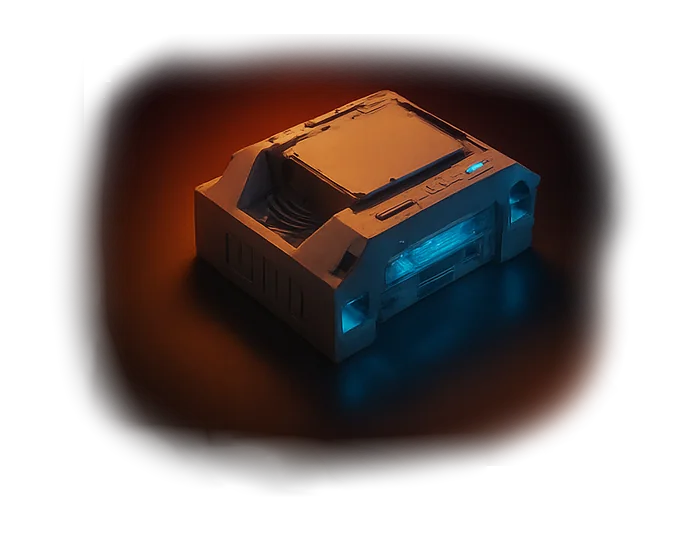
Pre-Tuned Prompts.
Visual Previews.
Amazing Results.
The Style Gallery lets you see each look before you render. Style Injectors apply it with one click — combining predictability with creative freedom.
No Prompts. No Guesswork.
Just Results.
Style Injectors do the hard work for you. Instantly applying proven AI styles, lighting, and tone so you can focus on creativity, not command syntax.

How Creators Use Design-Magician
From early sketches to cinematic worlds, Design Magician adapts to your creative goals.
Explore real-world ways artists use it to speed up design exploration, refine lighting, and unlock new creative possibilities — all inside Blender.
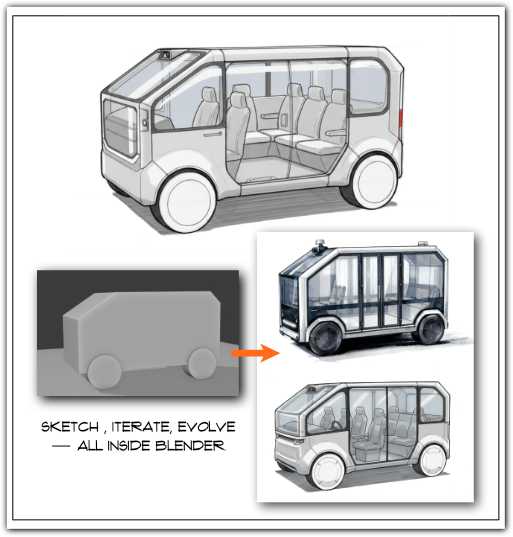
- Form Development
From Blockout to Breakthrough.
Use our Industrial Design Sketch Style Injector to visualize rough forms and multiple design directions early.
Your models stay simple, but your concepts look alive — perfect for exploring shape language before committing to detail.
Ideal for industrial design, automotive, and concept artists.

- Template Generation
Blueprints Made Beautiful.
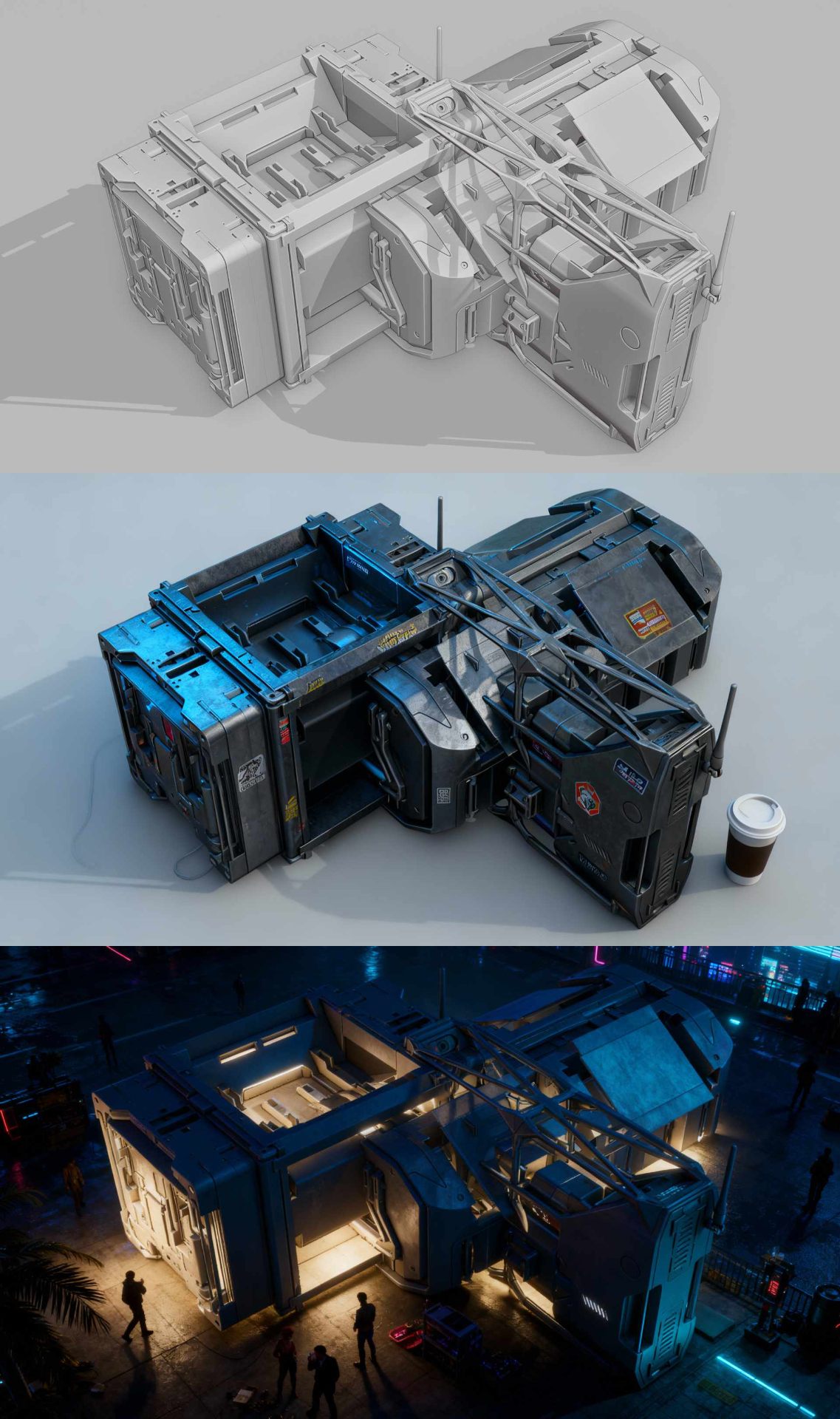
Generate front, side, and perspective concept views directly from your Blender scene.
Perfect for modeling guides, reference sheets, and early client presentations.
Save time on layout prep and focus on refinement.
- CMF Exploration
Color. Material. Finish. Iterative.
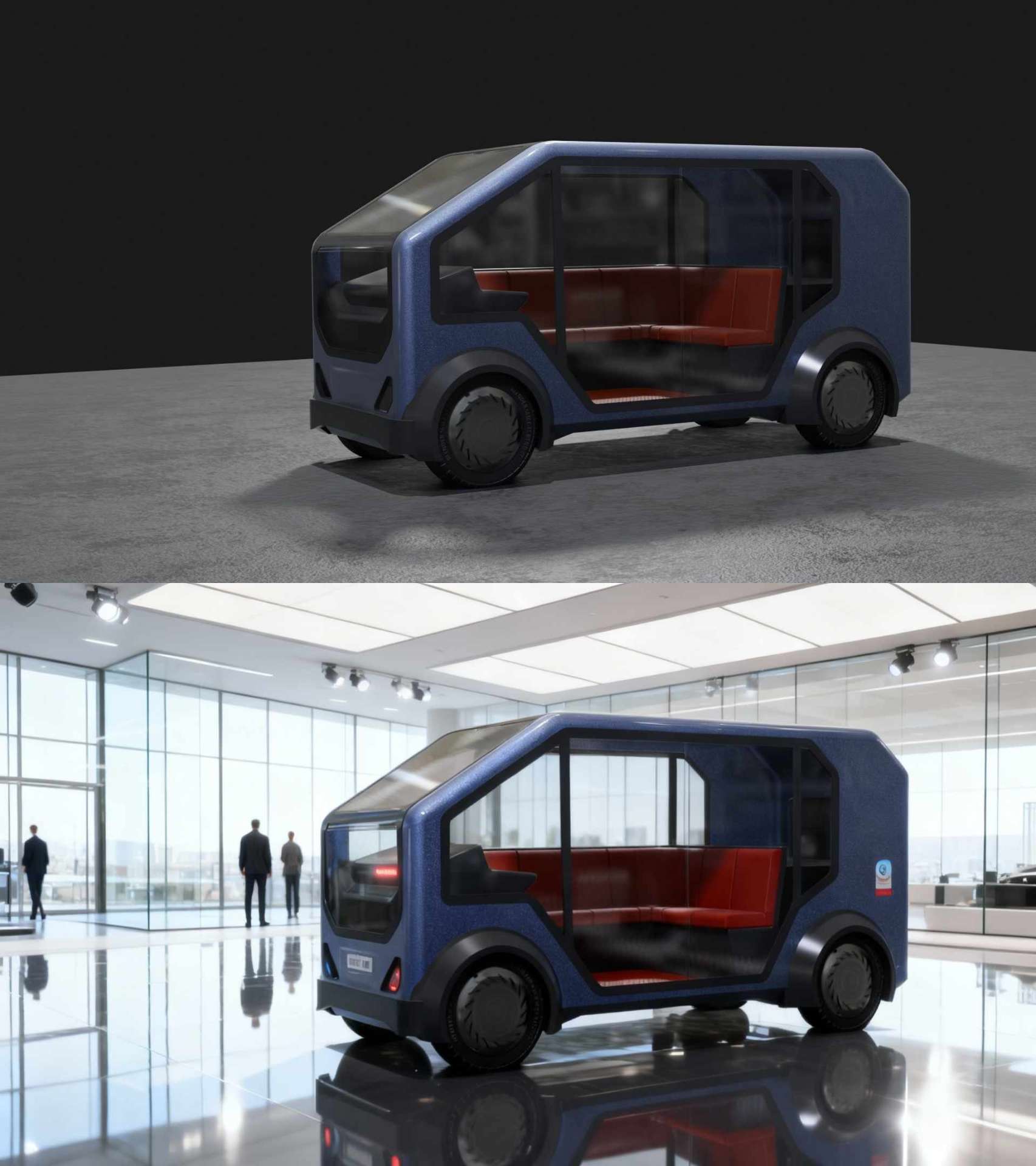
Test unlimited color, material, and finish combinations using CMF Style Injectors. Quickly see what fits your product, interior, or render scene without manual shader tweaks.
Ideal for visual designers and material artists.
*model by Brunya
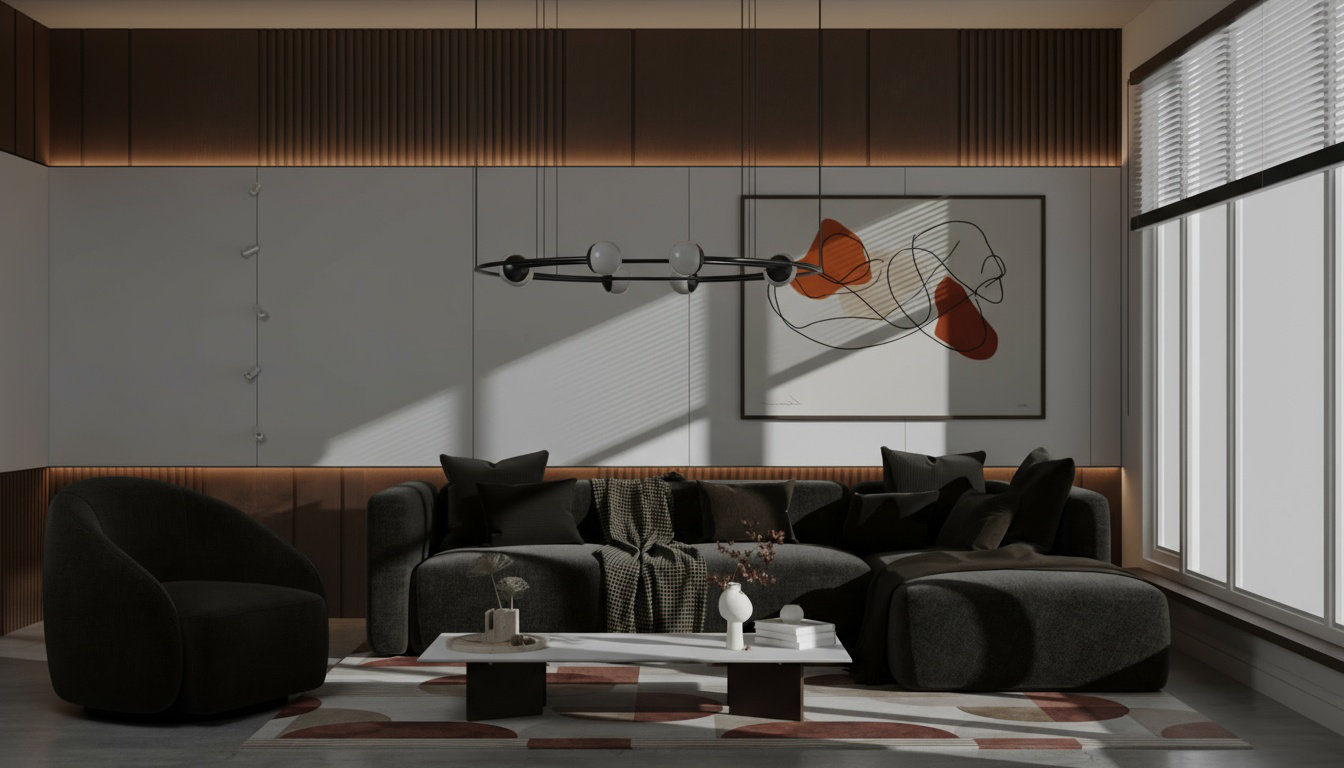
Cycles Rendered Image
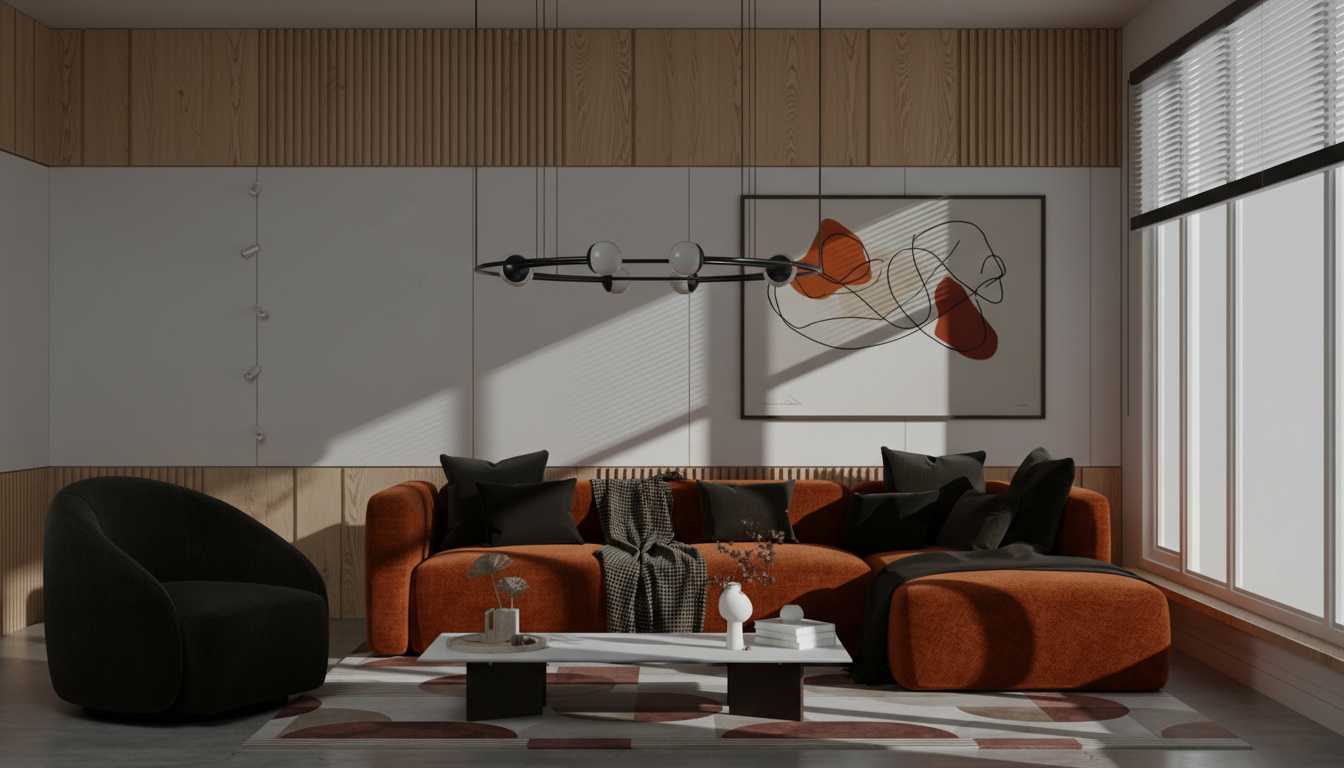
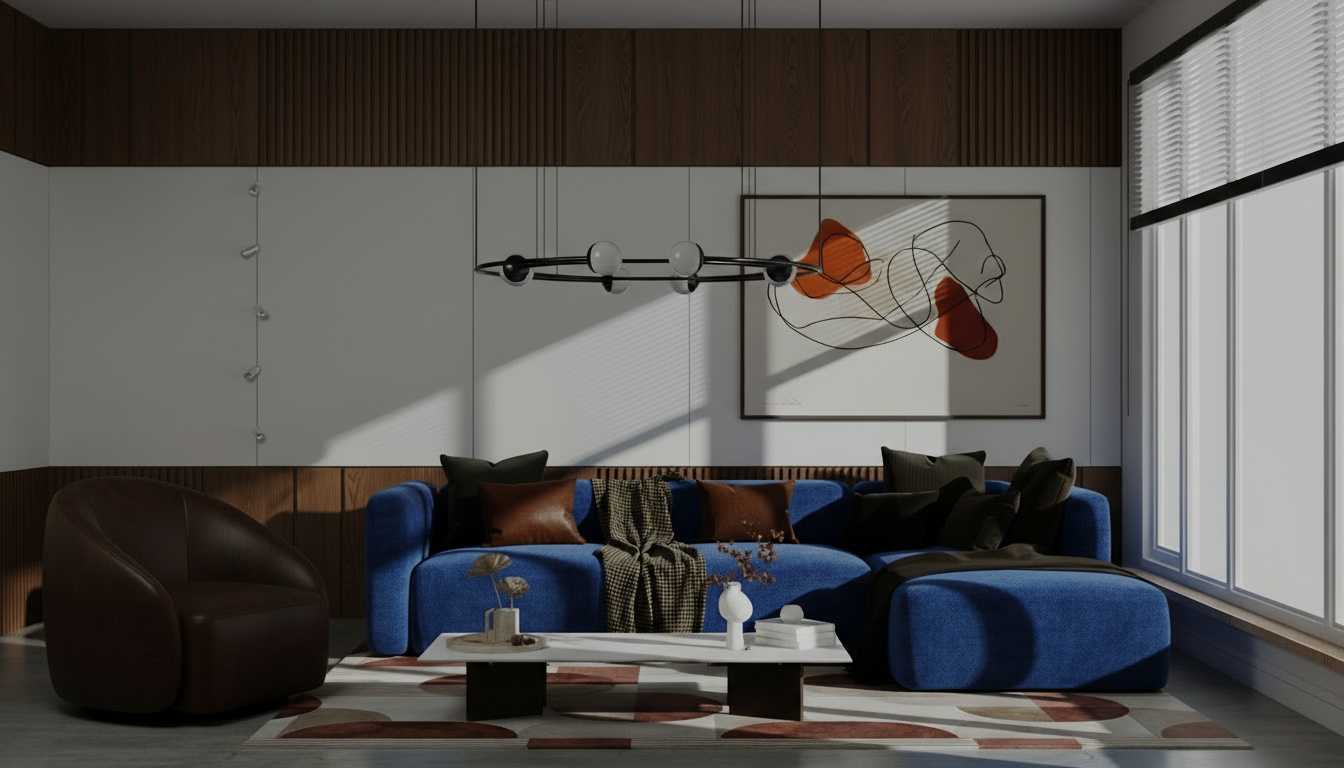
Concept-Magic Rendered Images
4. Lighting Experiments
Master the Mood. Instantly.
Explore natural, studio, or cinematic lighting in seconds. Switch from golden hour to overcast or indoor softbox with a single click. No HDRIs, nodes, or light setups required.
- Props & Characters
Populate Your Scene — the Smart Way.
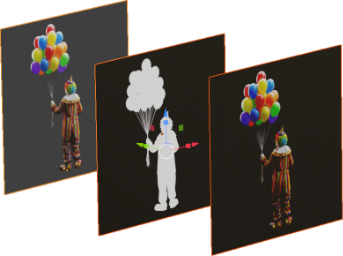
Generate realistic 2D photo characters with alpha maps ready for Blender. Use them as camera-facing planes in archviz or concept renders to bring scale and story to your designs.
Adds realism with minimal performance cost.


- Camera & View Angles
Perspective Without Repositioning.
Generate multiple camera views from Style Injectors. Helps with composition when using Scene Style Injectors.
Spend time designing, not re-framing.
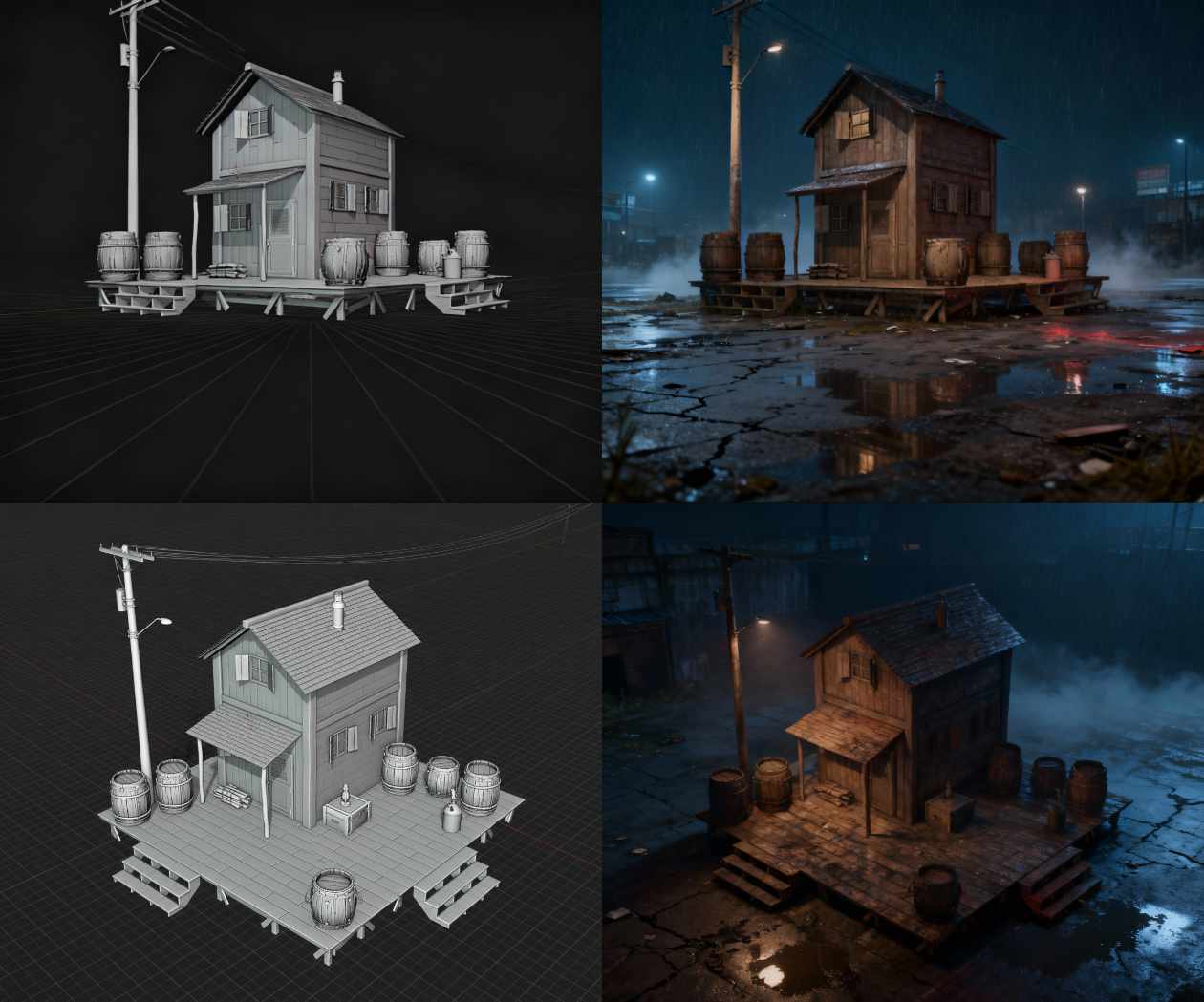
- Concept Scene Generation
Set the Stage for Your Story.
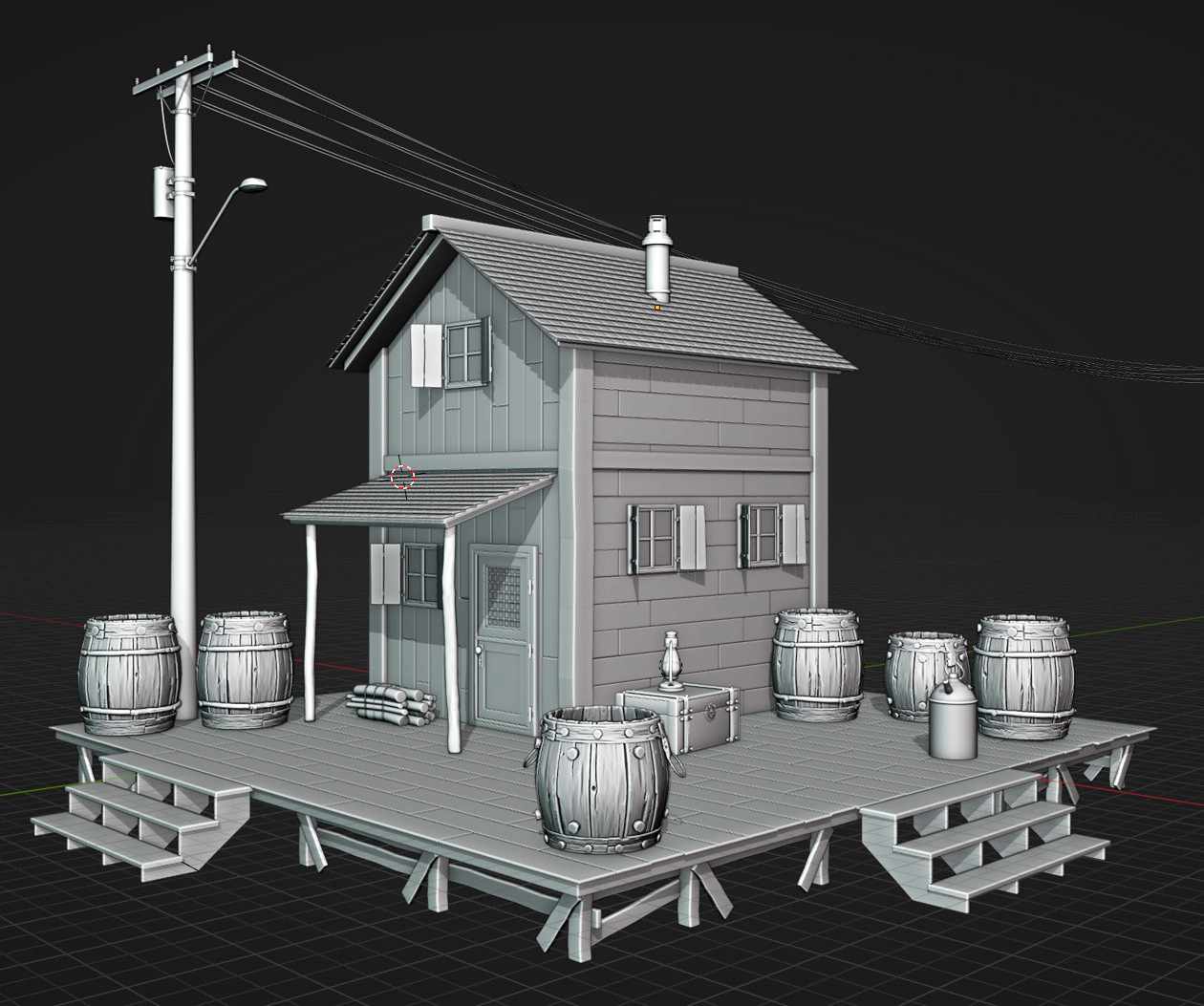
Use our Style Injectors to drop your Blender models into rich, AI-generated environments — from sci-fi corridors to modern interiors or photo studios and more. Perfect for ideation, storytelling, and fast visual moodboards.
Transform context without modeling a new scene.
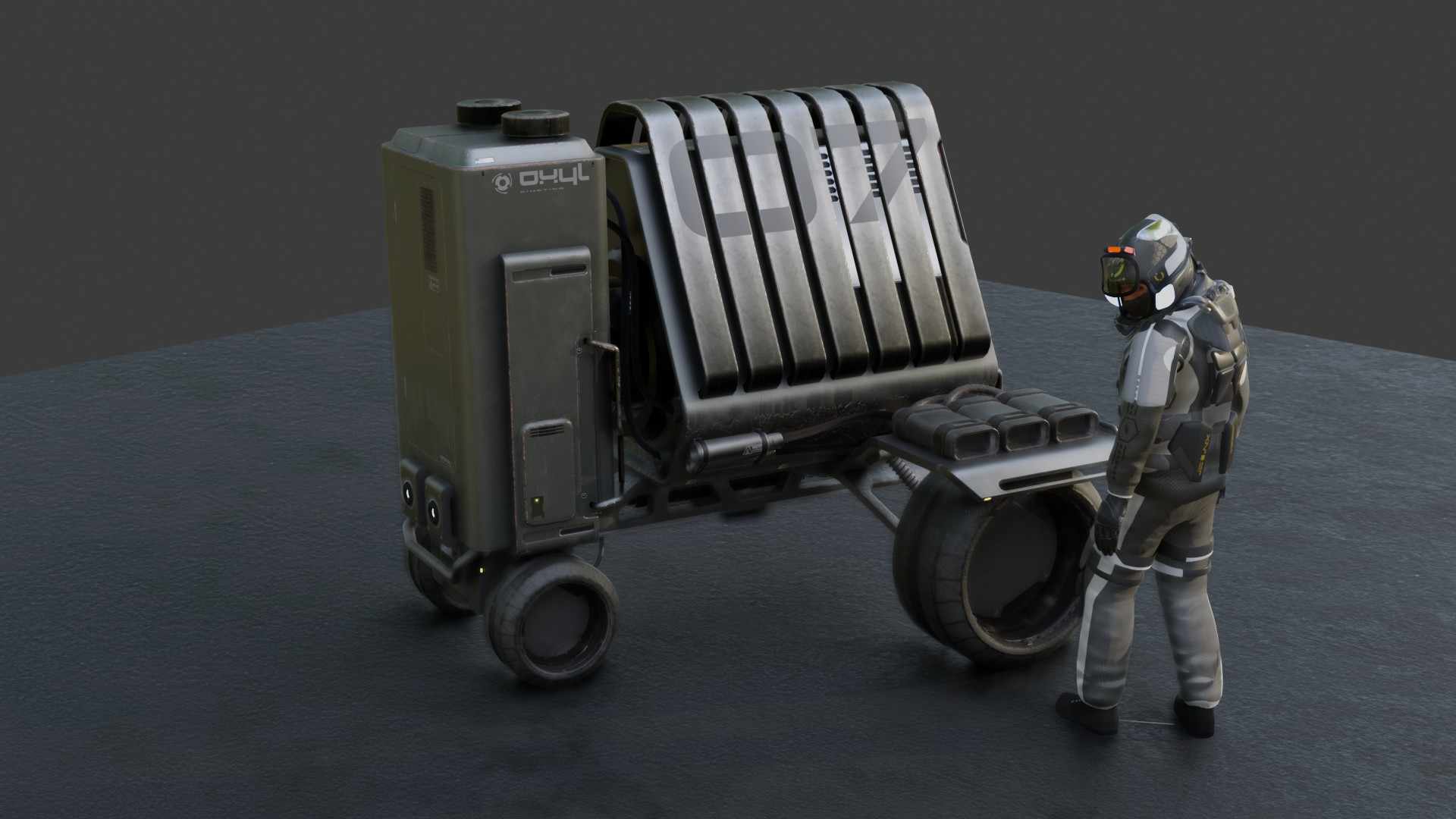
*model by Ryuu
- Concept-Magic doesn't end the process — it feeds it.
Close the Loop Between Concept and Craft.
Take what you generate — forms, lighting, camera angles — and bring them back into Blender as references for modeling or scene design.
Every image, lighting setup, and composition you generate can flow straight back into Blender — guiding your modeling, materials, and scene design.
Concept-Magic doesn't finish your workflow. It fuels it.
Ever-Expanding Library
Always Growing, Always Part of the Blender Addon.
We've already invested hundreds of hours crafting our JSON Style Injectors — and we're just getting started. New styles, categories, and workflows are continuously added to help you create faster and smarter.
Every Style Injector includes a visual preview right inside Blender — so you can see the results before you generate. No wasted credits. Just creative confidence.
Your creative toolkit keeps growing with every release.
Community / Trust Emphasis
Designed by a 30-year industry veteran and the creator of KIT OPS, Blender's most-trusted kitbashing add-on. Proven experience. Stellar support. Built for artists like you.
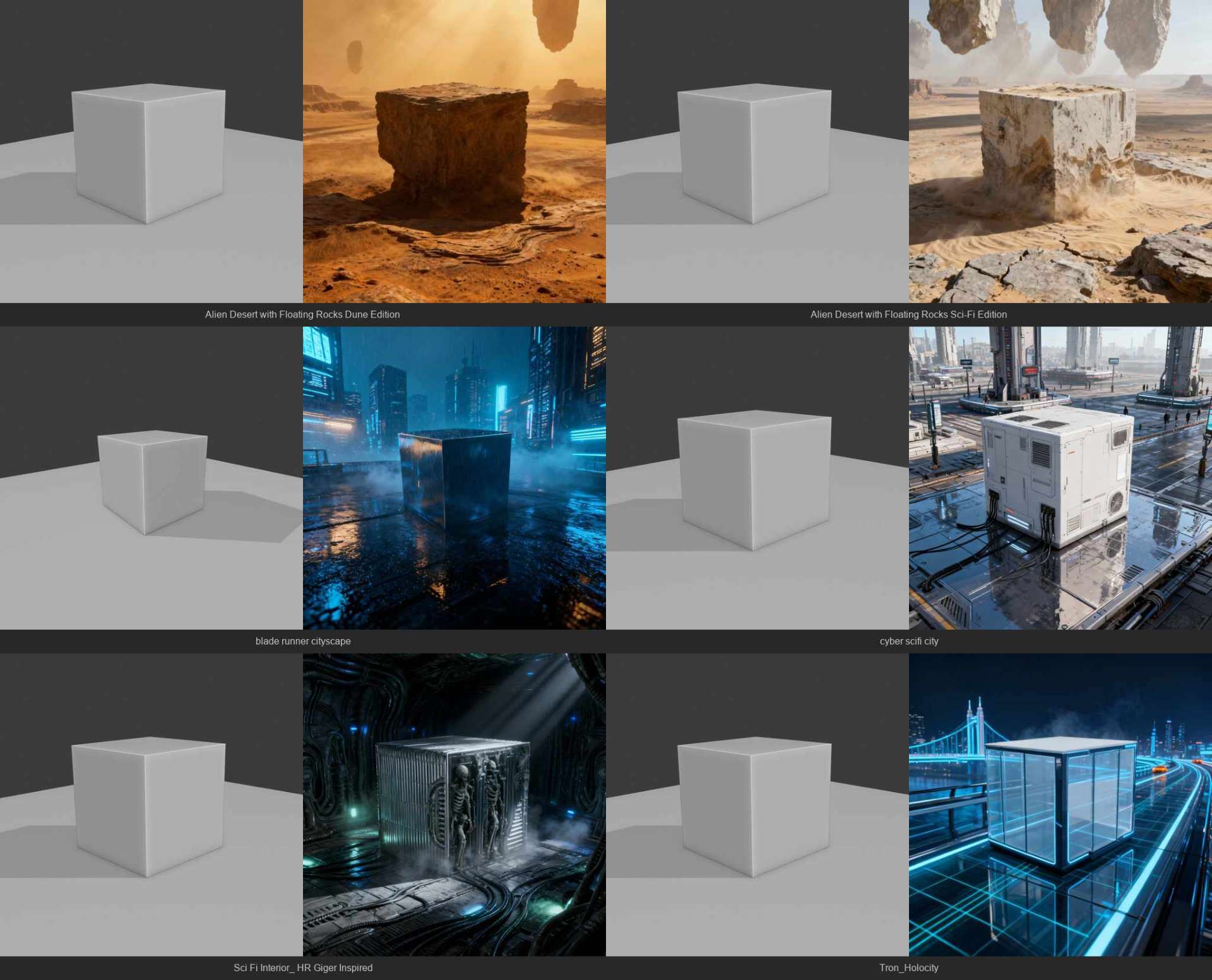
A sample of a few of the Style Injectors included with the addon
Simplicity & Features
Powerful. Simple. Seamless.
Feature Highlights:
- Easy to use. No setup. Just install the addon.
- One-click generation, no shader management.
- Integrated Style Injector Gallery inside Blender.
- Your custom prompt added to Style Injector
- Pre-tuned prompts for consistency.
- Custom style saving and JSON import.
- Saves all your generations locally.
- No images or prompts stored in the cloud.
- Your prompt embedded in your image metadata.
- Cloud-based rendering — no GPU required.
- Upscale options (Good / Better / Best).
Proof That Creativity and AI Can Work Together.
Hear from real artists who use Design Magician to enhance — not replace — their creative process.
"To me that is a killer AI app — useful for humans that makes them better, not takes away from them."
— VR Virtuosos
"Absolutely incredible and game changing add-on."
— aschwaggs
"custom derived prompts is the killer feature. and the fact that the AI looks form-wise just like the model is hugely cool"
—cake
"It turns a gray viewport into an instant art director."
— Mike C.
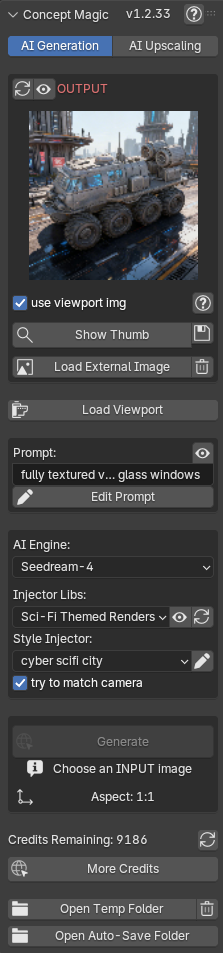
The addon comes with a complete manual:
(?) icon upper left
Run AI Locally — No Credits. No Limits.
Concept Magic now gives you a choice in how you generate.
You can continue using our cloud servers for fast, zero-setup results—or run everything locally on your own machine using your GPU. When running locally, there are no credits, no usage limits, and no external dependencies. Your generations happen entirely on your system.
This local workflow is powered by Comfy Labs, a bundled Docker-based environment that brings advanced AI pipelines directly to your machine. It’s a powerful system—but it does require compatible hardware and is currently in beta.
Comfy Labs Workflows
More Than Rendering — A Full AI Toolkit
When you run locally, you’re not just generating images—you’re unlocking a full suite of AI-powered tools through Comfy Labs.
Each workflow runs directly on your machine, using your GPU, with no per-image cost.
Workflows
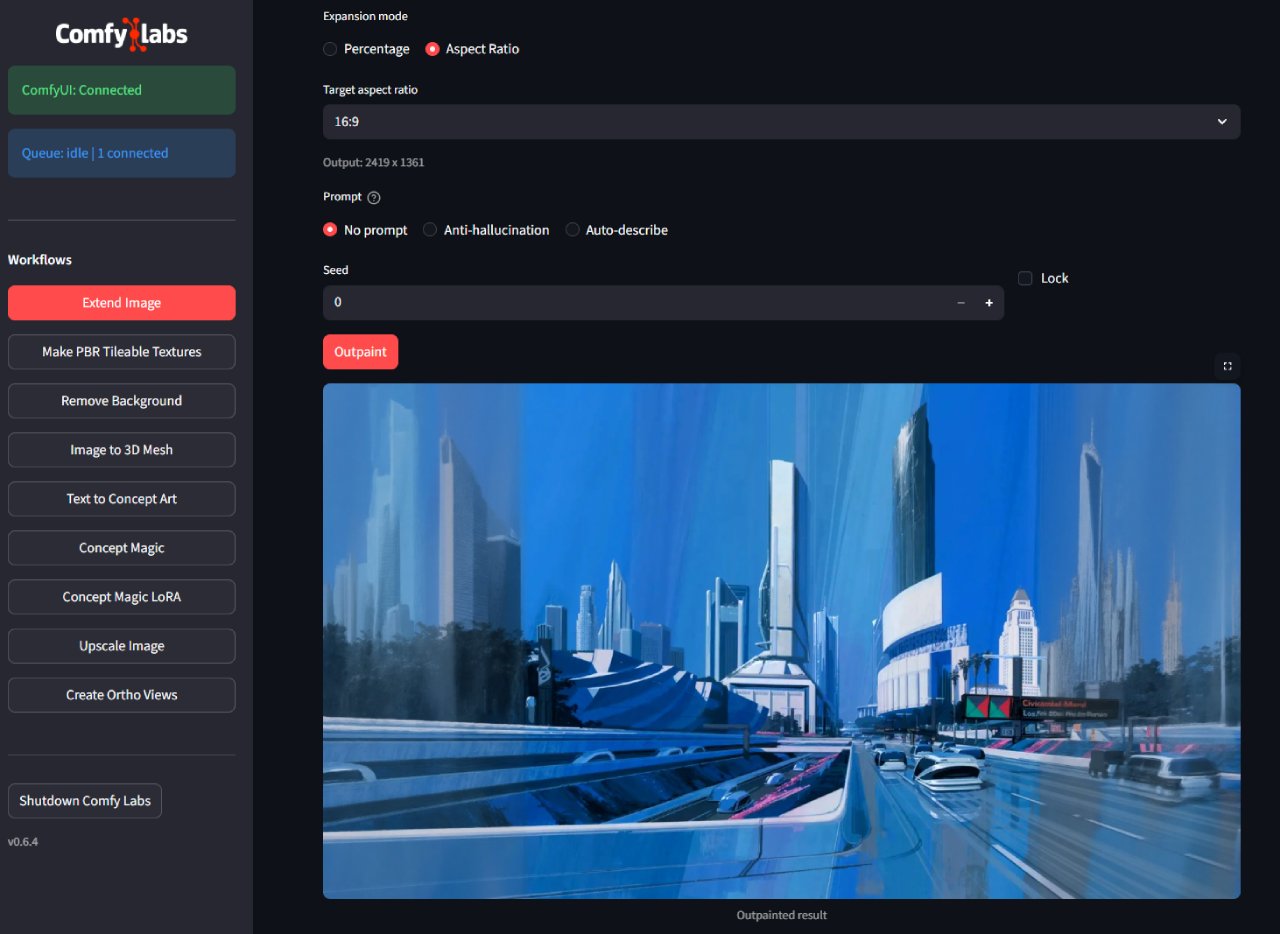
- Extend Image: Expand scenes beyond their borders with AI-generated detail
- Upscale: Increase resolution with AI-enhanced detail
- PBR Tileable Textures: Generate seamless materials from a photo ready for 3D use
- Image to 3D Mesh: Convert images into textured 3D models
- Ortho Views: Generate consistent front, side, and back views
- Text to Concept Art: Create clean concept images from prompts
- Remove Background: Instantly isolate subjects from any image
Simple Setup. Local Power.
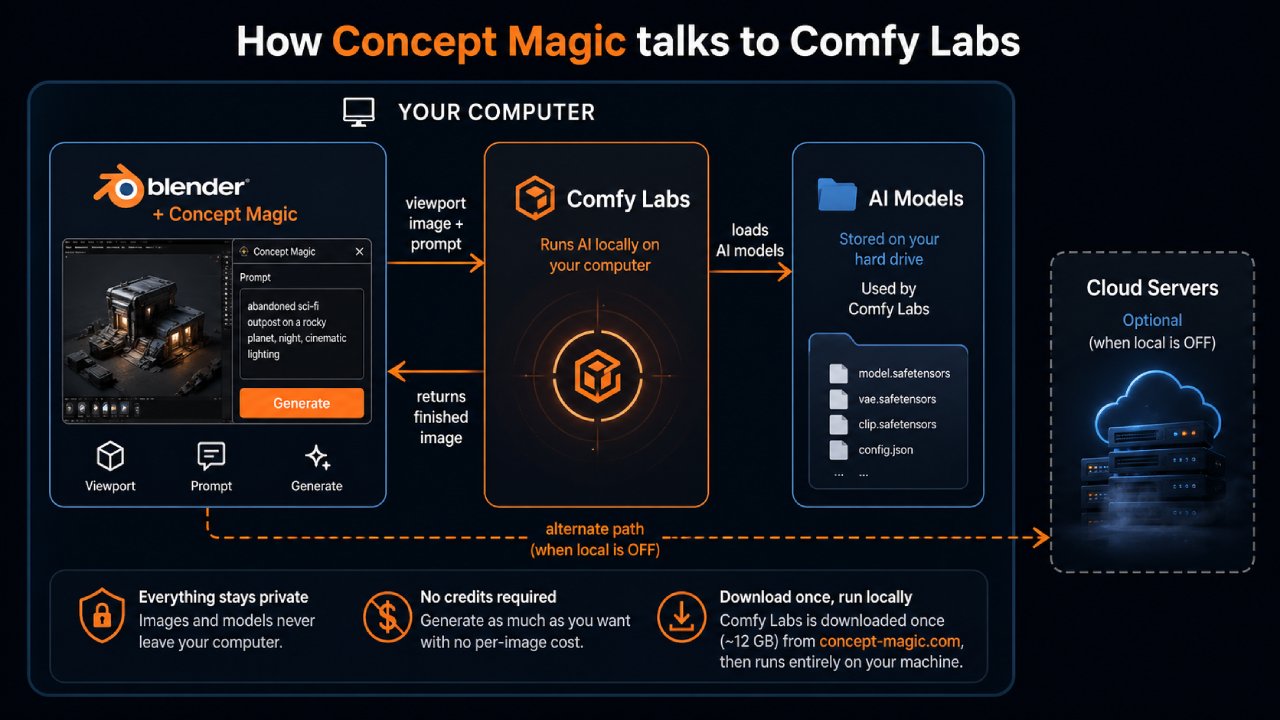
All of the local workflows run through Comfy Labs—giving you a powerful, flexible AI pipeline beyond just rendering.
Concept Magic connects directly to Comfy Labs running on your machine.
Once running, Concept Magic sends your viewport and prompts directly to your local system instead of the cloud.
- A local Docker container runs the AI engine
- A browser-based interface gives you access to advanced workflows
- Blender communicates with it through a local server
Requirements (Beta)
Local generation is currently in beta and requires a capable system.
Minimum Requirements:
- OS: Windows 11
- GPU: NVIDIA RTX 3060 (8GB VRAM minimum)
- RAM: 16GB minimum (32GB recommended)
- Disk: 80GB+ free space
- Drivers: NVIDIA 535+
To run Comfy Labs effectively, you’ll need:
- OS: Windows 11
- GPU: NVIDIA RTX 4060+,5060+ (12+GB VRAM minimum)
- RAM: 32GB minimum (32GB recommended)
- Disk: 120GB+ free space (SSD recommended)
- Drivers: NVIDIA 535+
If your system meets these requirements, you unlock a powerful, fully local AI pipeline.
No Subscriptions. No Pressure. Just Creation.
Buy credits when you need them — they're good for an entire year. Simple, predictable, and built for creators, not corporations.
See Your Scene Come Alive in Seconds.
Try Concept-Magic on Superhive and discover how fast your creativity can flow.
Created by Chipp Walters