
Illustration Station
A real-time render engine that draws your Blender scene in ink lines, screentone, solid black and crisp cast shadows — live in the viewport, a fraction of a second per still.
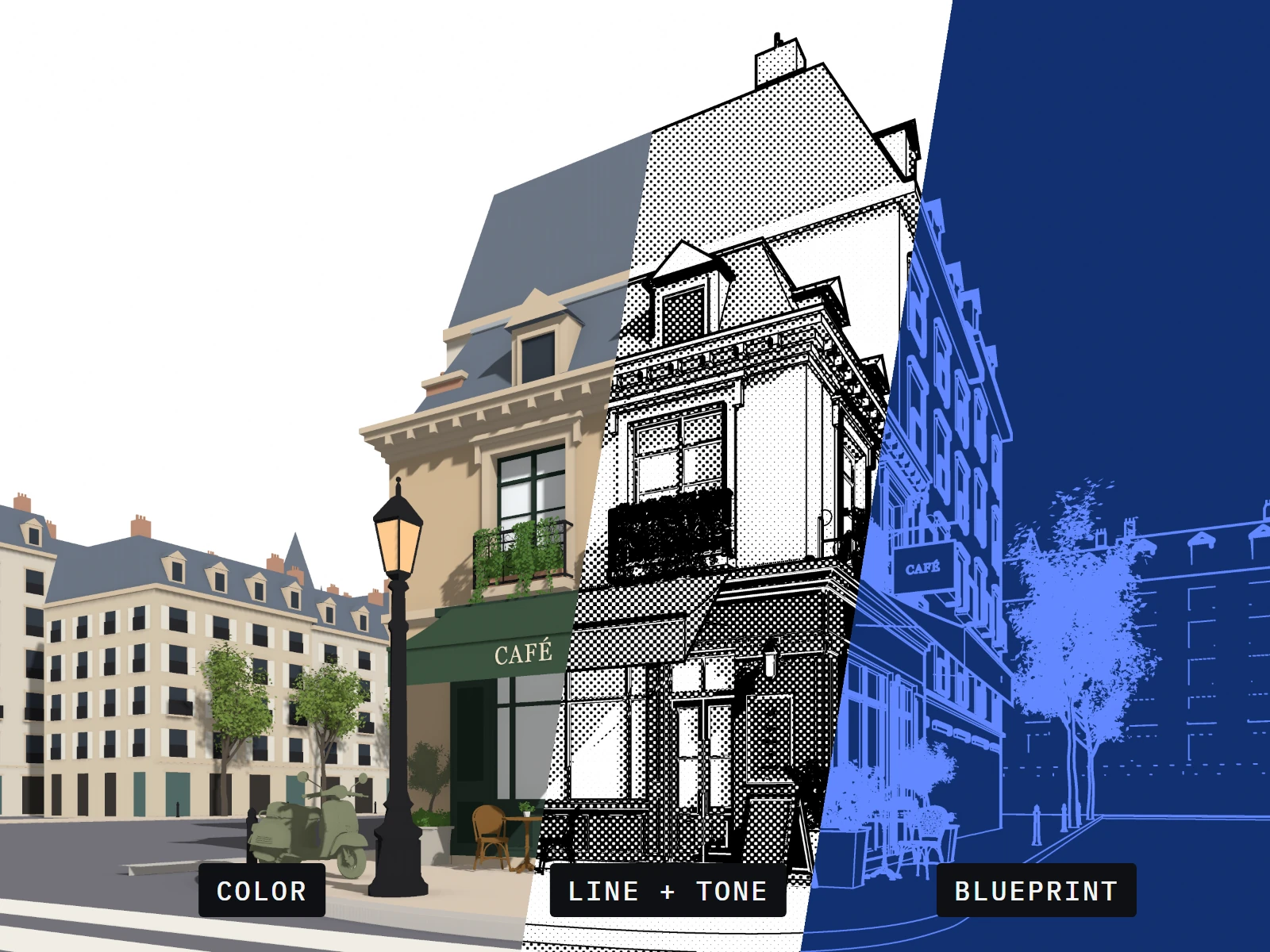
// same scene: color · line + tone · blueprint — three of fifteen styles, rendered by illustration station
See the drawing while you work.
Switch any 3D Viewport to Rendered shading and Illustration Station draws live. Orbit, pan and zoom with the final look on screen; in camera view, lines, tone and pattern size match what F12 renders.
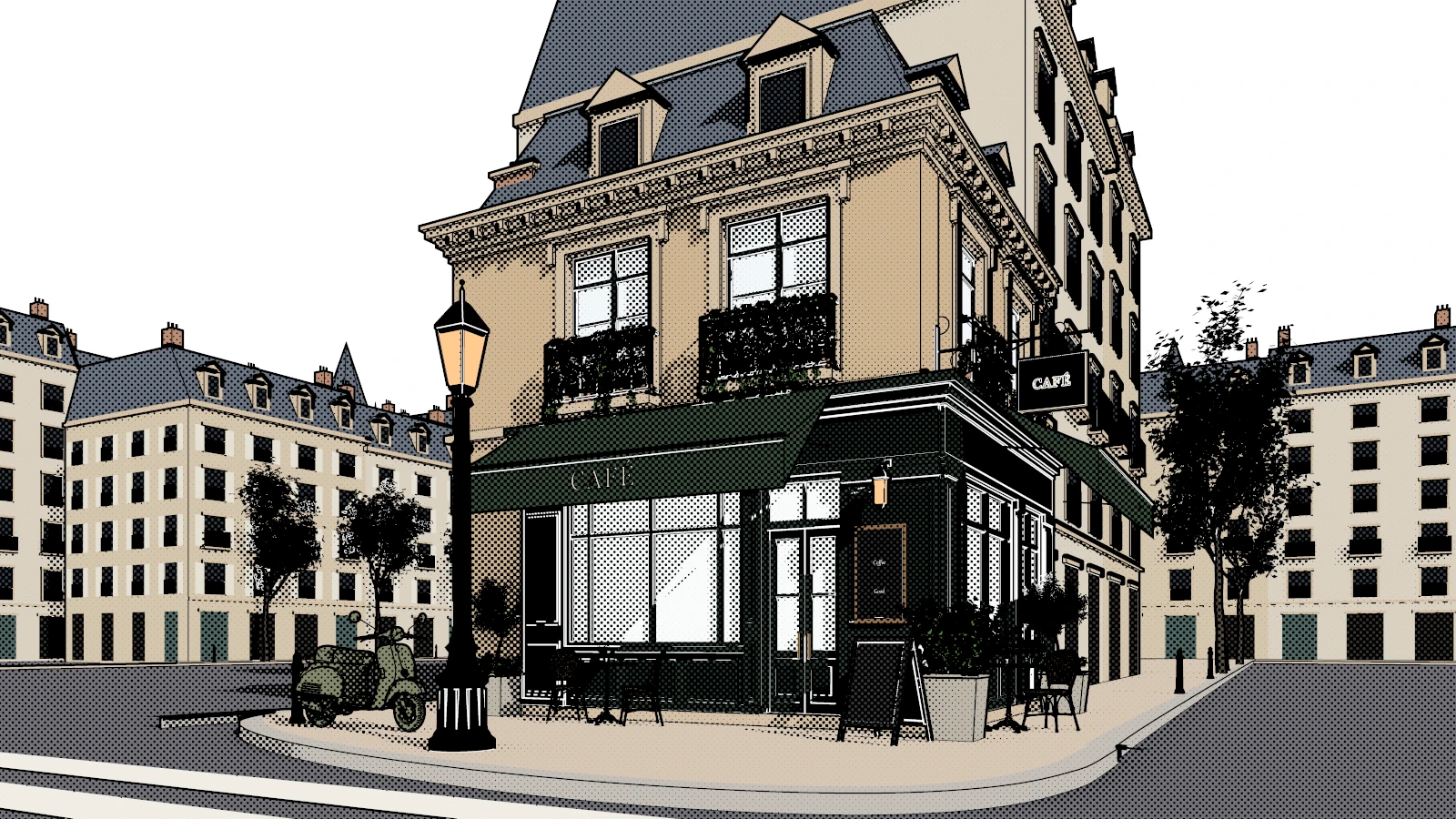
// rendered viewport, live — sketch style on the café scene
A render engine that draws.
Illustration Station isn't a modifier stack or a compositor recipe. It's a complete render engine — it draws the scene itself on the GPU and turns it into line art and tone. Pick it in Render Properties, press F12, and get an illustration back.
See it in motion.
// illustration station overview
Your scene, inked.
Illustration Station renders the active camera and the Rendered viewport as ink lines, screentone, solid black, cast shadows and ambient occlusion. Stills render in a fraction of a second, animations render frame by frame like any other engine, and the viewport shows the same look while you work — no Freestyle, Line Art modifiers or Grease Pencil to set up.
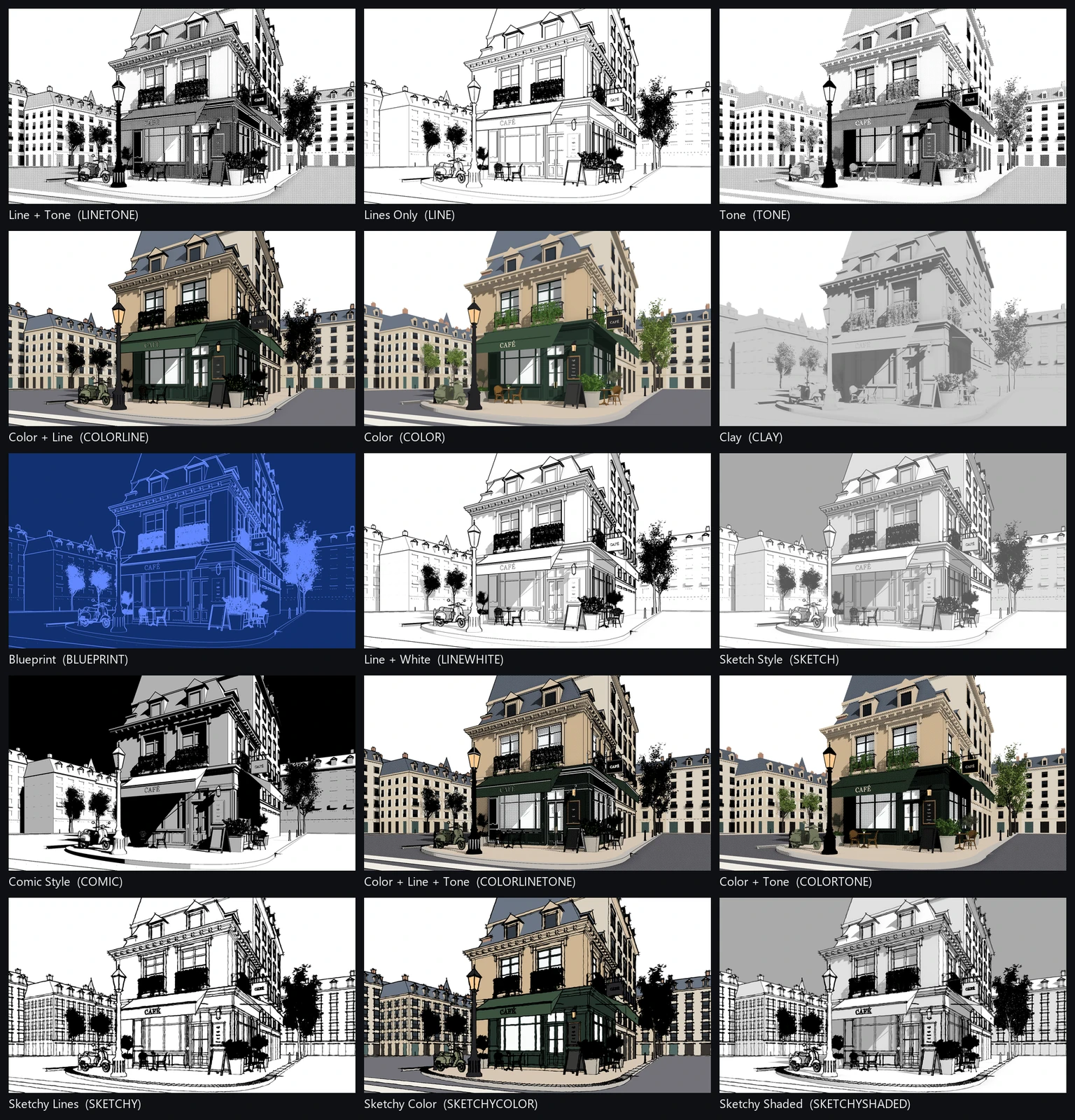
Fifteen styles cover line art, screentone, flat and shaded color, clay, blueprint, pencil greys, comic and sketchy — and every look is four choices you can mix into looks of your own. Light from your scene's sun or its own lamps, export transparent PNGs with the line work on its own layer, and start free with Sketch Style: Pro installs over Free and keeps every setting.
Fifteen styles. One café. One click each.
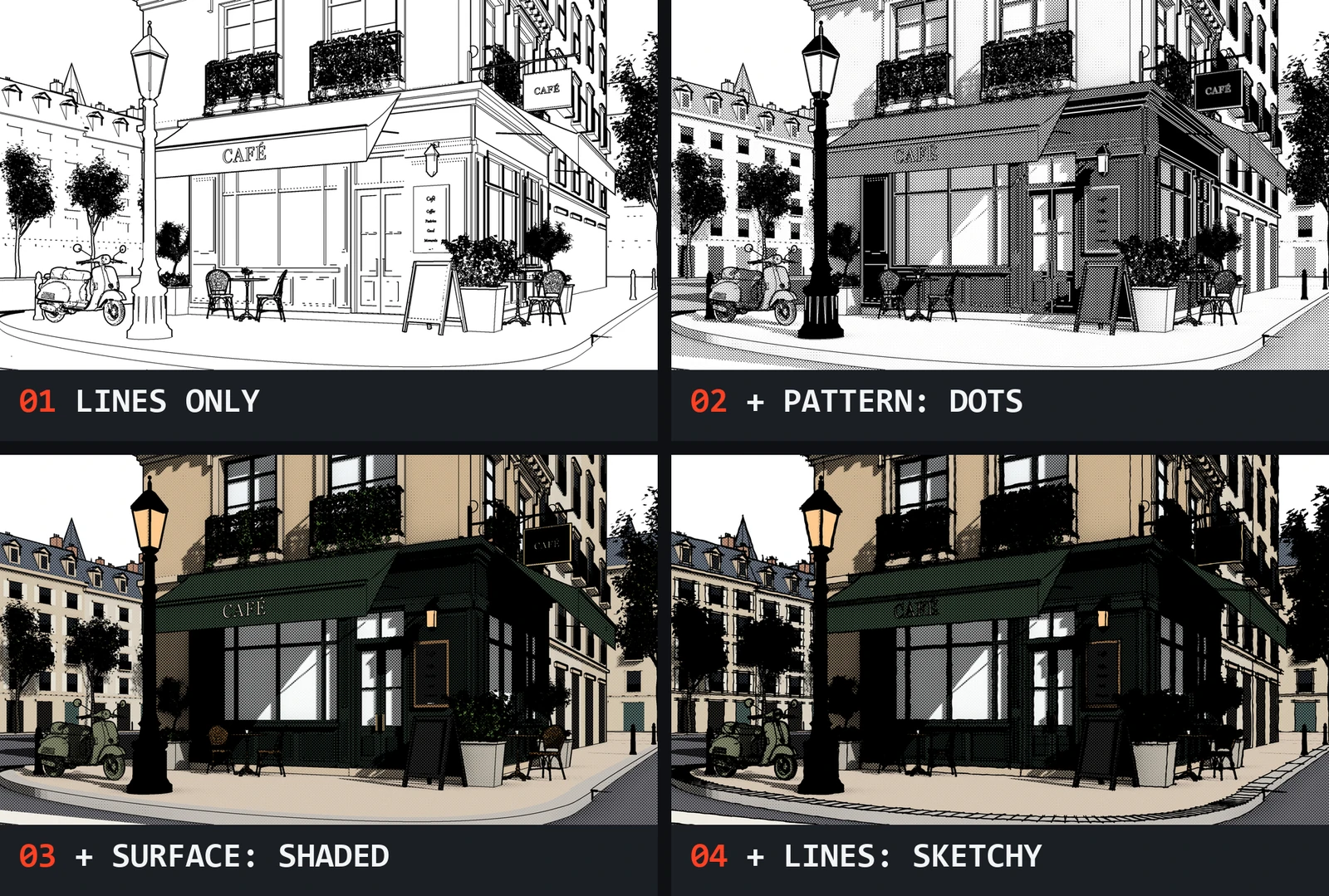
Four choices make every look.
Every style is a starting point that fills in four choices, each at the top of its own panel. Change any one and the style keeps its name with a * — pick it again to go back.
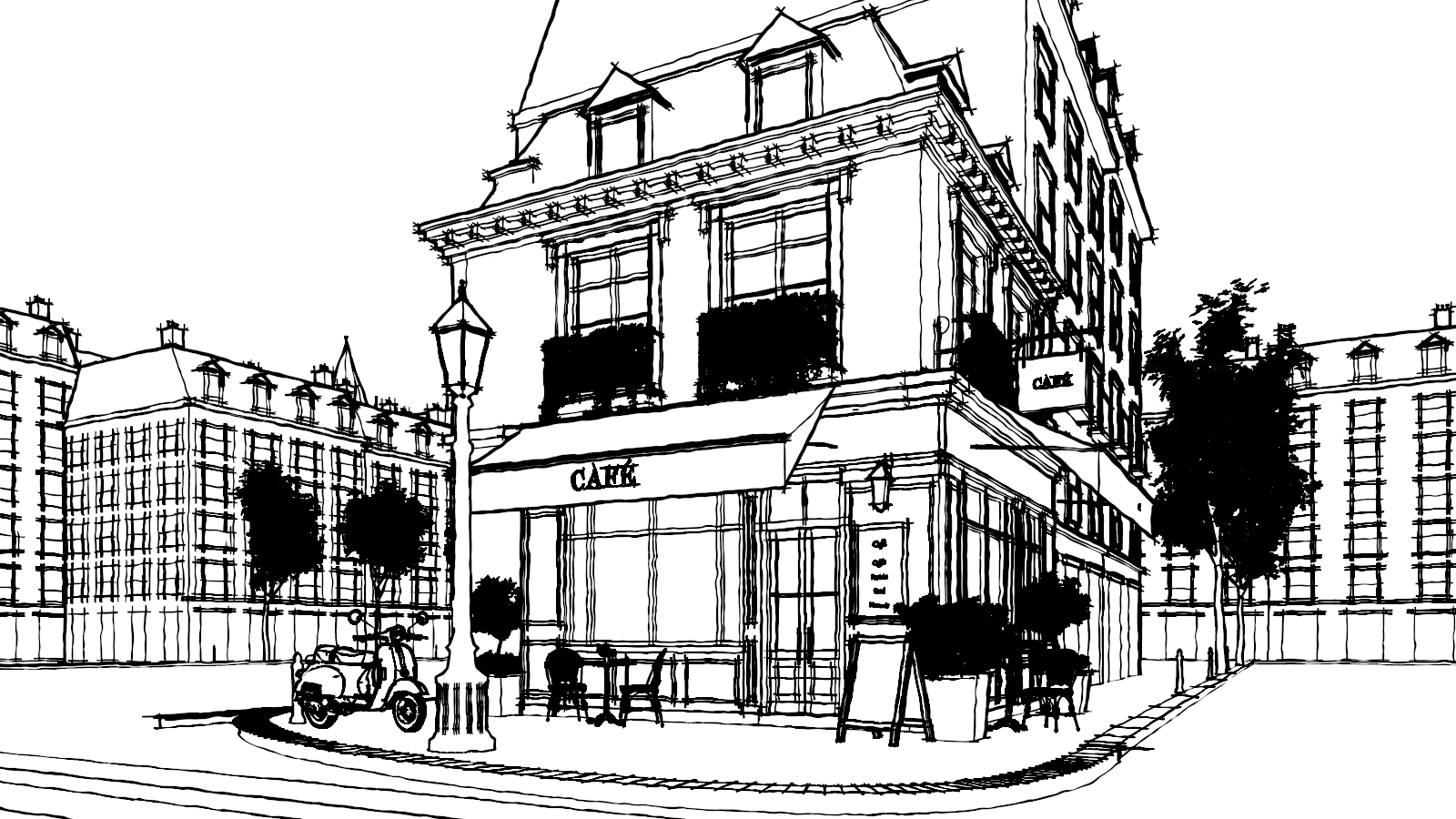
Lines that look drawn by hand.
Set Line Style to Sketchy in any style that draws lines. Wobble, Wobble Size, double Strokes, cross lines that overshoot at corners and heavier Endpoints — the silhouettes are found on the GPU every frame.
Color under the ink.
Flat or shaded material colors with ink lines, screentone dots and solid black on top. Textured materials get a fallback color in one click — Predominant picks each material's most common color for you.
Everything an illustration needs.
Lines, tone, shade and color — drawn by one engine, tuned from one panel.
Screentone patterns
Dots, Lines, Cross Hatch, Sand and Flat Grey, anchored to the screen or to objects, with per-material Tone and Black Bias.
Solid black and cast shadows
The darkest areas fill with solid black; cast shadows match an orthographic or perspective camera at any zoom.
Thick and thin lines
Thick Lines for silhouettes, Thin Lines for inner edges, a Line Art-style Crease, and Screen Space for the same weight everywhere.
Light Threshold and Shading Steps
Two clean tones instead of a gradient, or a set number of stepped bands — cel-shaded looks without a single node.
Scene Lights
Use the scene's sun, a custom direction, or up to eight of its own lamps — Sun, Point, Spot and Area — with falloff and spot cones.
Live Rendered viewport
Orbit, pan and zoom with the final look on screen. In camera view, lines, tone and pattern size match what F12 renders.
Transparent PNGs
Transparent Paper puts the line work and tone on their own layer; Transparent Background works with every surface.
Fallback colors
Image-textured materials render in one flat color. Predominant or Set Colors from Materials picks it from the texture for you.
Animation-ready
Renders frame by frame like any engine. Object-anchored tone moves with objects and shadow edges don't flicker.
Start free. Upgrade when you want more.
Both editions run the same engine with the same panels. Free shows every Pro setting with a padlock, so you can see exactly what Pro adds.
// upgrading installs Pro over Free — your settings and files are kept
Does it use my image textures and shader nodes?
No. Textures and node trees aren't evaluated at render time; a textured material renders in one flat fallback color. Predominant and Set Colors from Materials pick each material's most common color in one click.
Does it create Grease Pencil strokes or vector lines?
No. Illustration Station renders images, like EEVEE and Cycles. Use Transparent Paper to get the line work on its own layer.
Do I need Freestyle or Line Art?
No. It's a complete render engine with its own Lines panel — Line Art's material settings have no effect on it.
Does it render depth of field or motion blur?
No. The render is one Combined image; you can still run it through the compositor.
Does it work on macOS?
It draws through Blender's own GPU drawing. It's tested on Windows with OpenGL and Vulkan; macOS (Metal) hasn't been tested yet.
What happens when I upgrade from Free?
Install the Pro .zip the same way as Free. It replaces Free, and your settings and files are kept — scenes saved in a Pro style render in their own style again.
The drawing, straight out of Blender.
If you model in 3D but deliver in ink, Illustration Station renders the page for you.
Comic and manga artists
Backgrounds in line and screentone, with solid blacks and crisp shadows.
Illustrators
Clean or sketchy line art to paint over, on its own transparent layer.
Technical and archviz artists
Lines Only, Blueprint and Line + White for drawings that read at a glance.
Concept and layout artists
Clay and Sketch Style for checking composition and light, fast.
Animators
Frame-by-frame renders with tone that sticks to objects.
Designed by a toolmaker.
Designed by Chipp Walters — a 30-year industry veteran and the creator of KIT OPS and Simple Sketch Pro. Proven experience. Stellar support. Built for artists like you.
Fair pricing, no surprises.
Buy Illustration Station Pro once and it's yours forever — everything you download keeps working for as long as you use Blender. Your purchase includes a full year of updates and support. After that year, an optional 25% renewal of your support plan buys another year of the latest updates and support; skip it and you simply keep the version you have.
Support that actually answers.
This isn't a fire-and-forget asset drop. It's backed by first-class support for Blender customers since 2019 — an active Discord where a human answers, and a catalog of tools trusted by artists worldwide.